Use Cases
Unfinished Purchase
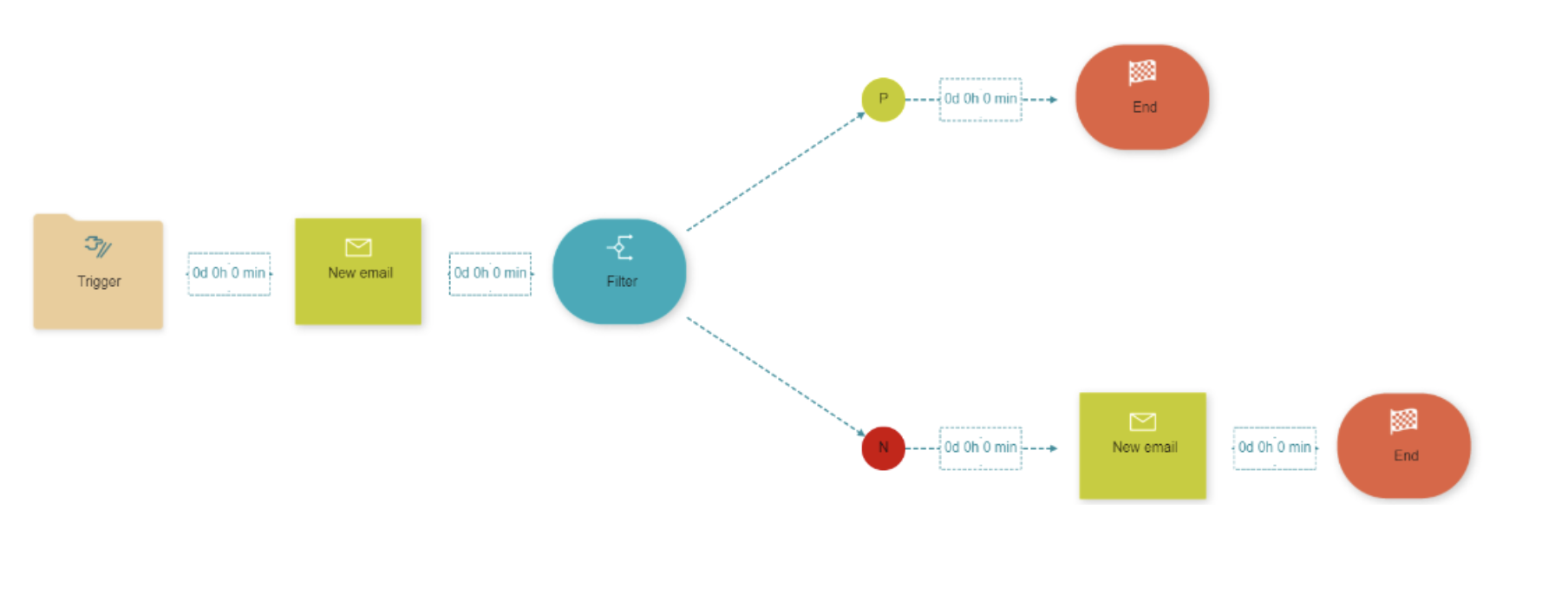
For this example, we want to check and inform our users, if they still have a product waiting in their shopping cart. First, we need a Trigger element with certain attributes, such as email, date, type of product and purchase status. For communication with the user, we need to use a channel; in our case, we picked the Email element, which is just one of the multiple possibilities. The email gets sent to the users we picked in the Trigger element and tells them they still have products in their shopping cart. After three days our Filter element checks if the user completed the purchase. The users that completed the purchase go through the positive path and the campaign ends, the users that still have a product in their shopping cart go through the negative path and we send them another e-mail, reminding them to complete the purchase.
Catalog
For this example, we want to send a monthly catalog to our users. In this case, we have to pick a Target Group element with certain attributes, such as all users with email, users with 500 or more loyalty points, that are also from Ljubljana or Maribor and users who want to receive emails. With the New Email element, we send those users out catalog. After we send the catalog, we check with Wait Until element if the user clicked the link on the previous email. If they did we send them another e-mail in two days with a special offer just for the users that clicked the link in the first email. If they didn’t click the link in the previous mail, the campaign ends without sending them the special offer.

Onboarding
This example is based on welcoming new users and educating them on our offers. For this example, we have to pick the Target Group element, with certain attributes, such as all users with the date of registration set as today, and users that agree to receive emails from us. With the New Email element, we send all the new users we got from the Target Group element a welcoming email. Seven days after we have sent the email, our Filter element checks if the users clicked the link in the previous email and if the user still agrees to receive emails from us. If not, we go through the negative path, and the campaign ends. If yes, they go through the positive path, and we send them an educational email. After seven days, we check with our Filter element if they still agree to receive our email. If they still want to receive e-mails, we go through the positive path, and we send them another educational email and the campaign ends. If they don’t want to receive emails anymore, we go through the negative path and the campaign ends without sending any more emails.
Birthday Message
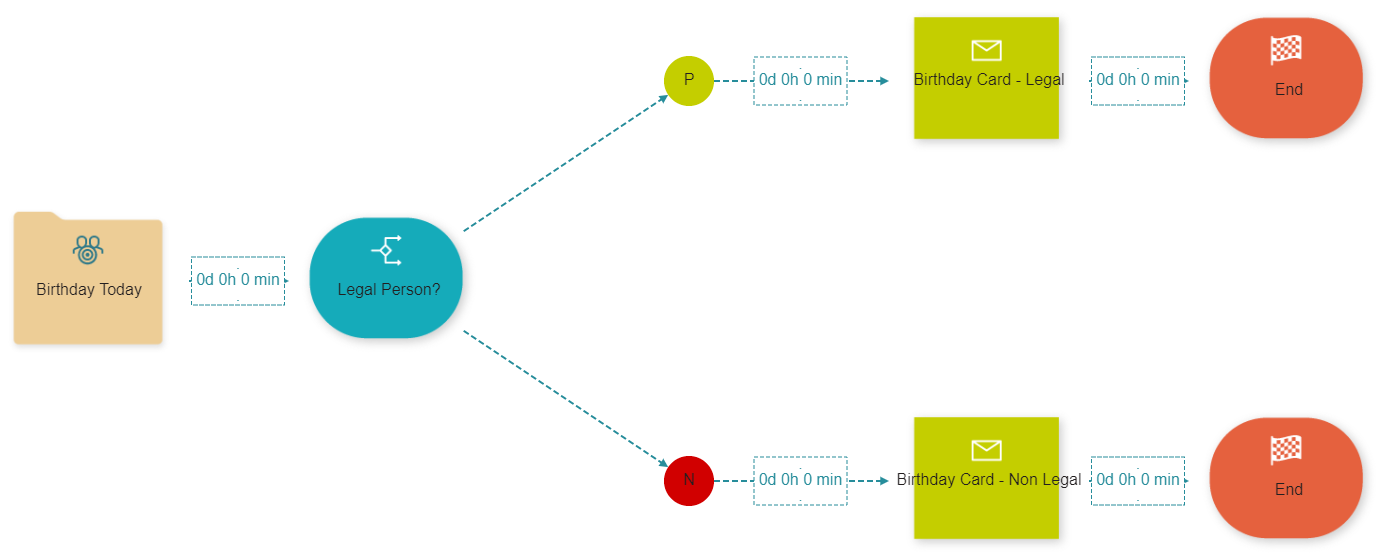
For this example, we want the
Surveys
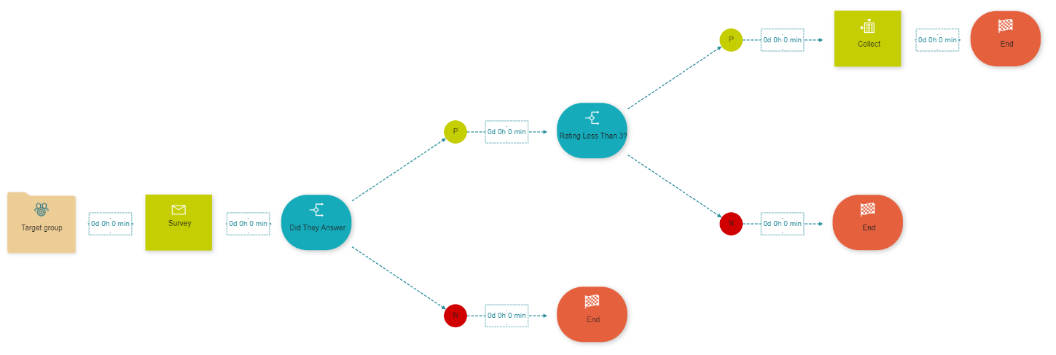
For this example, we want to send our users a survey and also collect user data of users that were unhappy with certain services, so we can call them and ask them what went wrong and what to do differently. In this case, we need a Target Group element, with some different attributes. We send eligible users our survey, in this case with the New Email element. Next, we have a Filter element, where we check if the user completed our survey. If the answer is no, we go through the negative path and the campaign ends. If the answer is yes, we go through the positive path, where we have another Filter element, in which we check if the user rating on this survey is 3 or less. If the answer to that question is no, we go through the negative path and the campaign ends. If the user rated us 3 or less, we collect their data during set intervals we chose in the Collect element. The user data gets saved in an excel file, which gets sent to the authorized person, who can then contact them and ask them what went wrong and what to do differently.
Enrolment
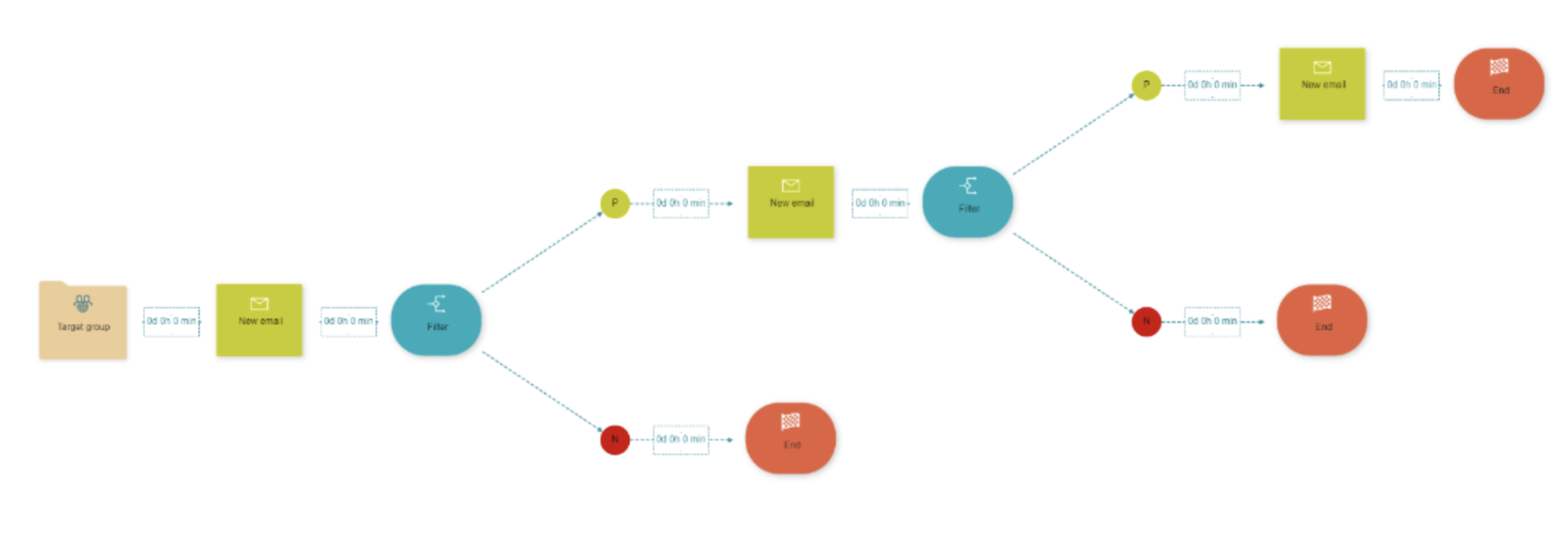
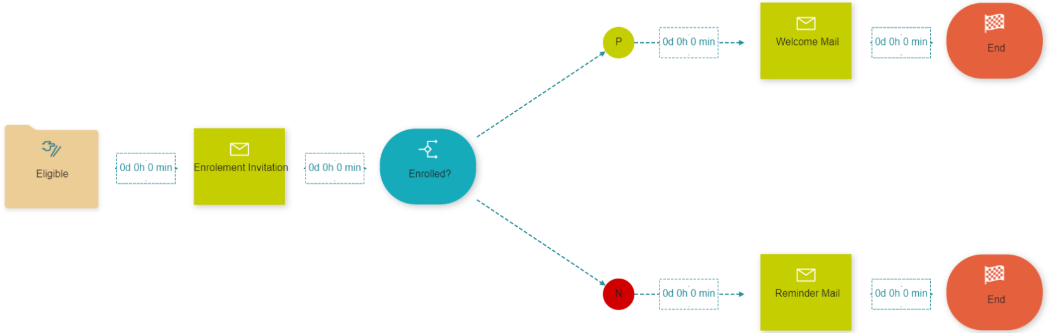
For this example, we want to enroll our customers in our service. First, we start with the Target Group element, where we pick all eligible users for enrolment. After that we send them an enrolment invitation with the New Mail element, after 7 days we check with the Filter element if the user had enrolled. If the answer is yes, we go through the positive path, and we send them welcome mail with our New Mail element and the campaign ends. If the user had not enrolled, we go through the negative path, and we send them a reminder to enrol with our New Mail element and then the campaign ends.
Increase Points Redemption Rates
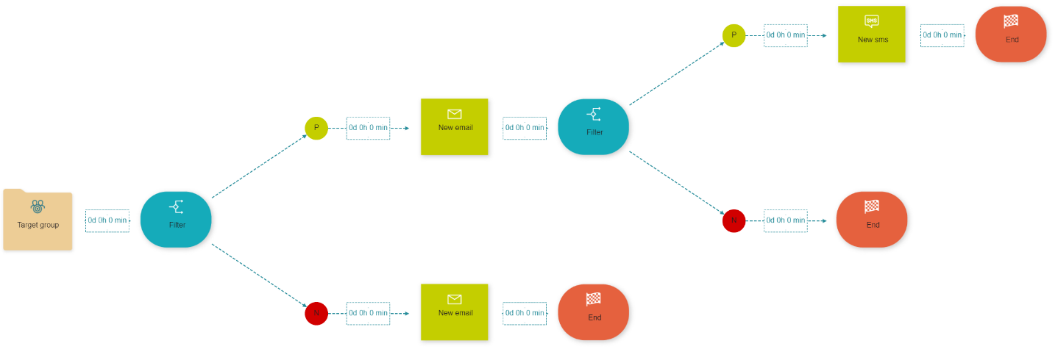
In this example, our program members earn points, but the redemption rate does not meet the operator’s expectations. The solution for this campaign is to deliver attractive points redemption options through the relevant channels at the perfect moment. We start by picking all the users that are eligible for this campaign with the Target Group element. Then we have a Filter that checks if the selected users are our members and if they agree to receive emails from us. If they are not our members we send them a custom email for the non-members and the campaign ends. If they are our members, we go through the positive path, and we send them a custom member-only emails, in which we offer them our point redemption options. After that, we have another Filter element, that checks if the user had opened the email. If not, the campaign ends; if yes, we send them a personalized text, via our New SMS element, and then the campaign ends.
Upsell Campaign
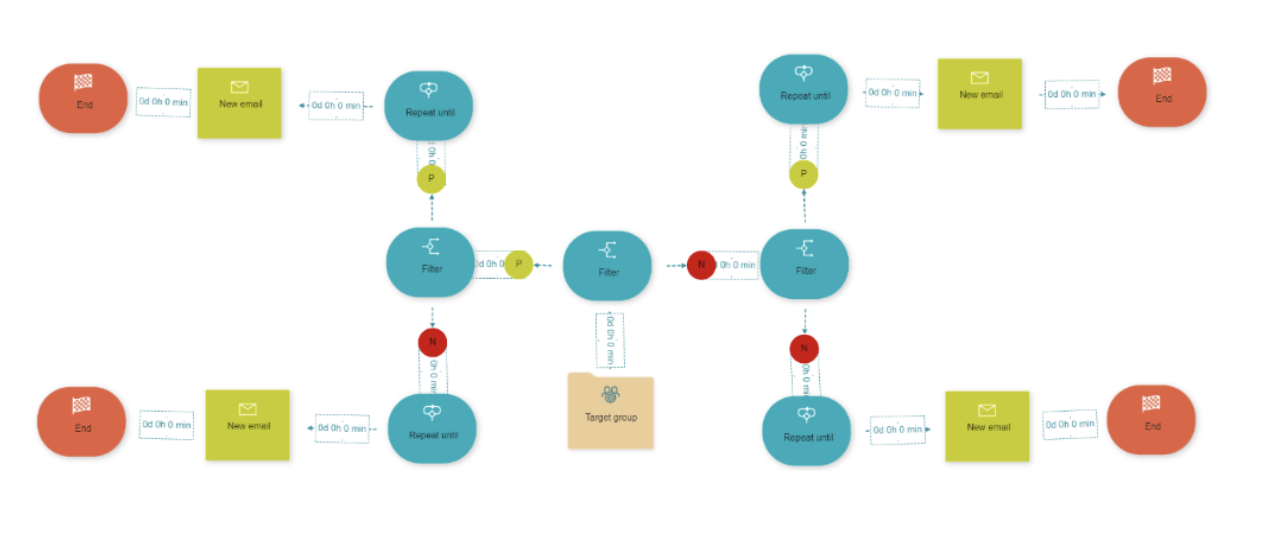
In this example, our users' contracts are about to expire, we have to find out what service can we offer for them to renew the contract, so we can keep the customer. A solution for this problem is an Upsell Campaign that offers higher internet speeds for existing money in exchange for the contract renewal. We start by picking all eligible users for this campaign with the Target Group element, with the Filter element, we ask if the customer is a legal person. If yes we go through the positive path and then ask them if they have Optic Fiber Connection, with Repeat Until we repeat that condition to find new eligible users; if they have Optic Fiber Connection we offer them higher speed, if not, we offer them Optic Fiber Connection and then the campaign ends. If they are not a legal person, we repeat all the same steps, same as with legal persons, but we customize each email differently for non-legal persons.