
Scheduler
One-time campaign
Start date: date and time on which the campaign will trigger the communication process. Additional dates can be added in “additional dates.”
Campaign re-entry interval: allows to set an interval, in which users can be included again in the repeated campaign. In the drop-down menu on the right side, the interval can be set in how many hours, days, weeks or months the user can be enrolled again.
Sending interval: defines intervals from and to when the campaign will be sending messages to the target group.
Automate end campaign: defines if the campaign will automatically end at a certain point or if will it have to be ended manually.
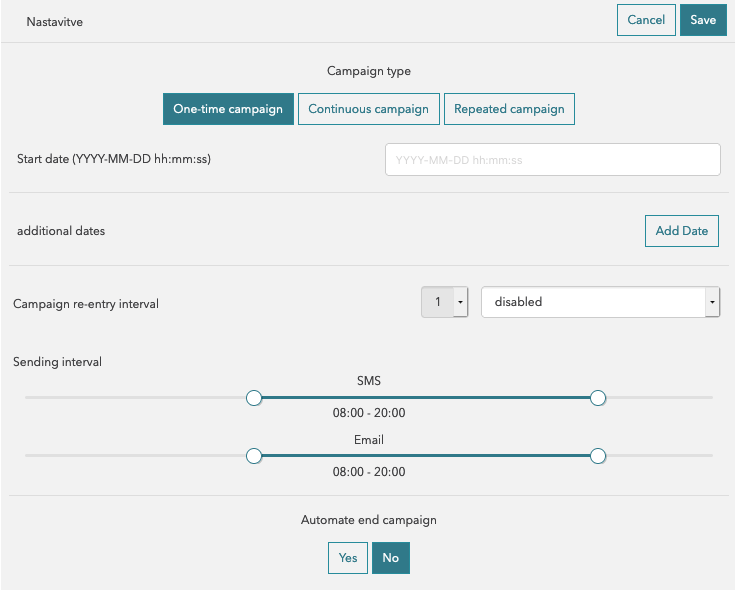
One-time campaign
Continuous campaign
The continuous campaign contains all of the previous settings, with the addition of the “Repeated” section. This allows setting the time interval - how often the campaign will repeat itself (i.e. every hour).
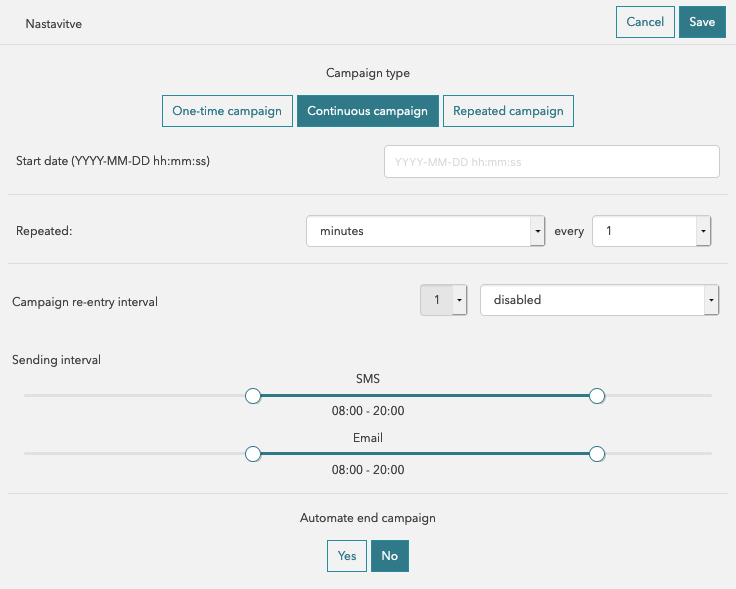
Continuous campaign
Repeated campaign
The repeated campaign contains all of the previous settings from the continuous campaign, except this time the “repeated” section sets daily, weekly or monthly repetitions at specific times (i.e. every 3 days at 10.00).
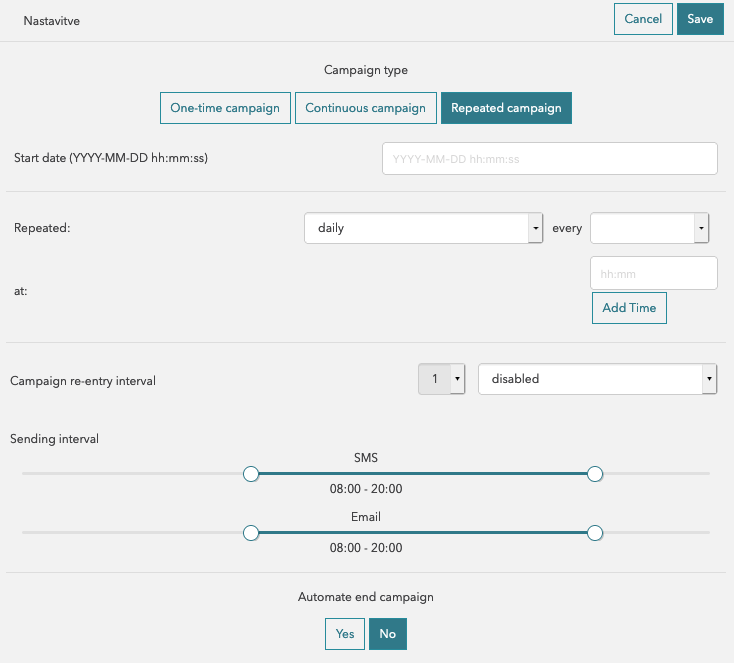
Repeated campaign